.jpg.71c60b4921c3a0135db2c3db9af84e6a.jpg)

otisbradley
-
Posts
84 -
Joined
-
Last visited
Recent Profile Visitors
5327 profile views



-
Returned the Bosch Got the Leica D2 It works! Took a bit of messing with the functions but it connects and inputs measurements!
-
So I received the new laser measuring Bosch - super nice device but… It doesn't seem to work with the as-built app. When I Google it (despite what Chief A says) says only the Leica DISTO works … It connects to the app just fine - says connected - but when you try to apply it - it goes back to disconnected
-
I am planning on using the remodel app for as builts and hoping that the kinks have been figured out. I have done some test scanning using my iPhone which seems to work pretty well but I also want to hook up a laser measuring device Looking for the Bosch glm 100c, it doesn't seem to exist anymore even when I look at the Bosch site, however there is the Bosch glm 400c. In this case Bosch says 400c = 400 ft whereas the previously mentioned 100c was 100 m so maybe this is the US version of the same thing. Anyway it's pretty pricey at 260 bucks, has Bluetooth and hopefully will connect. About this item BLAZE Outdoor technology outdoor laser measuring device that pairs accurate, long-distance (up to 400 Ft.) measuring and digital viewfinder with next-gen, connected convenience to simplify project management through the free Bosch MeasureOn app Digital viewfinder delivers 5.0 megapixels with adjustable zoom to locate the laser spot at far distances, even outdoors or in busy backgrounds Bluetooth connectivity connects the laser distance measure to smart phone or tablet, enabling transfer measurements onto images and manage the project through the free MeasureOn app Easy-to-read backlit color display illuminates numbers in dark areas with distinct resolution, allowing work in low-light or no-light conditions Reinforced screen glass provides increased durability and damage resistance Inclinometer shows the tilt angle, 360 for easy angle and indirect measurements Default real-time measurement mode immediately provides accurate measurement that automatically adjusts closer to or farther from the target Easy-to-use display guide walks the user through each measurement process Multiple measuring features includes 11 different measuring functions, including real-time length, length, area, volume and indirect functions, and addition/subtraction capability Memory storage provides storage for up to 50 measurements Show less
-

Thick concrete walls and dimensions - a trick, wierd one!
otisbradley replied to otisbradley's topic in General Q & A
Thank you interesting. I just moved from chief 12 to chief 18 recently. I don't remember ever setting up a wall with interior versus exterior layers but I will dive into it thank you. These alternative wall systems always make things a little challenging. -
Another one I can't figure out ... I tried redrawing all the walls backwards and forwards - I get a defined room but can't get the wall to connect in plan From camera - looks good but on plan weird - I am tracing PDF plans 15 inch thick wall stucco - 8 in concrete - 2 in foam - 2x4 wall thx Otis
-
Thick concrete walls and dimensions - a trick, wierd one!
otisbradley replied to otisbradley's topic in General Q & A
It worked but I had to also reset all of the default settings to get it to work with auto dimension etc -it's still stubborn and seems to go to the rock surface sometimes -
cad software used with bluetooth laser measuring tool
otisbradley replied to lindahinkle's topic in General Q & A
i'm guessing you probably figured it out by now, but I think the RoomPlanner has been replaced by the as built app -
Thick concrete walls and dimensions - a trick, wierd one!
otisbradley replied to otisbradley's topic in General Q & A
Ahhh I see it right in front of my face. I'll give that a try. Sometimes I feel like no matter how much I use chief I get stuck in some weird thing and it's usually right there in front of me Thanks for your help -
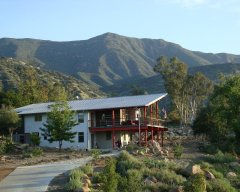
This is a weird one. It is an addition to an existing home I built in 2012 out of ICF insulated concrete forms. For this addition, at the moment, we are considering this type of wall assembly 8-in concrete 3 in of high density foam 3 1/2 in of stud wall on the interior and then approximate 3 in rock face on the exterior My question is I'm trying to dimension - exterior - to the concrete block not the exterior rock surface. That is the reason I changed the concrete to framing in the wall - Hoping to let dimensions click to the corner of the block. I can't figure out how to do it. Would love any suggestions Thanks Otis
-
Yes suggested this years ago - use to use in early versions of Sketchup - was quite simple Spent lots of time in Westhampton as a kid at my Grandmothers Cheers
-
-
-
-
-
Thanks - Puget looks great however ... not sure I need the most expensive Festool when a good ol Skil saw works great!!! I see you are using an Alien (Dell) seem like they have a bunch of good "of the shelf packages" Like this for $2500 Dell Alienware Aurora ACT1250 Gaming AI Desktop Intel 20-core Ultra 7 Series 2 265F 32GB RAM 1TB SSD GeForce RTX 5080 16GB GDDR7 (Up to 1801 AI Tops) Liquid Cooler 1000W PSU Win11 ICP Hub w/Copilot
-
Alienware vs Dell for a new desktop w the spec's mentioned in the Scott Harris blog post - mas o menos I've had Dells - fine but lots of bloatware I've had customs Currently using Chief 12 and this - about 5 years? old ... due for an upgrade on both thxOtis Device Name Otis-2020 Processor AMD Ryzen 9 3900X 12-Core Processor 4.15 GHz Installed RAM 64.0 GB Storage 2.73 TB HDD ST3000DM001-1ER166, 932 GB SSD Seagate FireCuda 520 SSD ZP1000GM30002 Graphics Card NVIDIA GeForce RTX 2080 SUPER (8 GB) Device ID 52153455-306A-41D2-85A8-E39CE2F655FE Product ID 00330-80000-00000-AA215 System Type 64-bit operating system, x64-based processor Pen and touch No pen or touch input is available for this display
-
It would be great to have a slider so you could create a video of the sun as it moves across the time of a day. I know you can create a sun angle but like the one in sketchup where you set the date and time and then you can scroll the sun/shade pattern Thoughts?






.jpg.5046967f3197f1c4da2d1409a9d8aa8d.jpg)